
FBR Digital Invoicing in Pakistan: How API Integration Works for Businesses
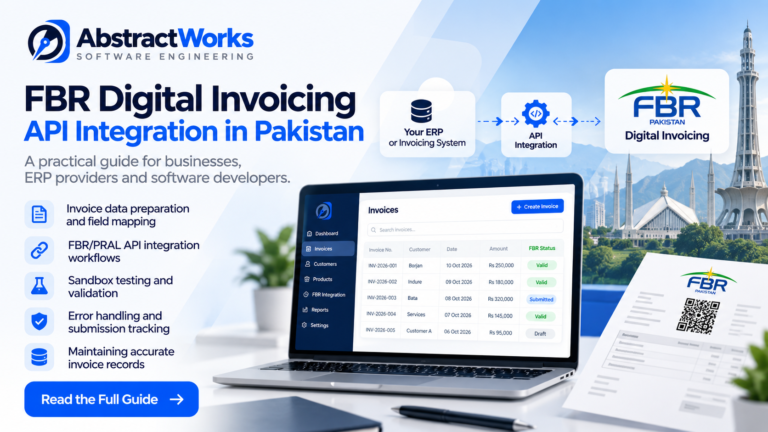
For Pakistani businesses, connecting an existing ERP or invoicing application to FBR Digital Invoicing involves more than sending an invoice over an API. The integration must translate business records into the expected invoice format, handle validation responses, and keep a reliable history of what was submitted.
This guide explains the main engineering decisions involved in an FBR digital invoicing integration, using practical lessons from building an invoicing platform at AbstractWorks. It is a technical overview, not official FBR guidance. Always confirm current obligations, specifications, and onboarding requirements with FBR/PRAL and a qualified tax adviser.
What does FBR digital invoicing API integration involve?
An API integration connects a business’s invoice creation process to the relevant FBR/PRAL digital invoicing interface. Instead of manually re-entering invoice information, the application prepares structured data from customer, product, tax, and invoice records and submits it through the supported integration workflow.
The exact fields, authentication method, invoice scenarios, and submission rules depend on the current official documentation and the business’s applicable requirements. A production implementation should follow those specifications rather than treating a sample payload as universal.
A typical invoice integration workflow
- Create the invoice: Collect buyer and seller details, invoice dates, products, quantities, prices, and applicable tax information.
- Map the data: Convert internal ERP fields into the structure expected by the relevant FBR/PRAL interface.
- Validate before submission: Check required fields, formats, calculations, and supported scenarios in the application and, where available, through the official validation workflow.
- Submit through the API: Send the invoice using the configured environment and credentials, following the documented authentication and submission process.
- Process the response: Record returned identifiers, status information, and validation errors without assuming that an HTTP success response always means the invoice was accepted.
- Maintain an audit trail: Keep the invoice’s business state and submission history traceable for support, reconciliation, and troubleshooting.
Why data mapping matters
Businesses often store products, customers, and taxes in formats designed for their own operations. An integration layer must map these records consistently into the required external representation. Problems commonly arise when product classifications, units of measure, tax treatments, or customer identifiers are missing or inconsistent.
A useful design separates the internal invoice model from the external API payload. This allows an ERP to maintain its own business rules while applying versioned mapping and validation logic at the integration boundary.
Sandbox testing before production
Sandbox testing helps developers check how invoice data behaves against supported test scenarios before using production credentials. Teams should test successful submissions and expected failures, including missing fields, invalid classifications, authentication issues, and duplicate or repeated requests where relevant.
Passing sandbox scenarios is an important engineering milestone, but it does not by itself establish regulatory certification or guarantee production approval. Production access and applicable compliance requirements must be confirmed separately through the appropriate official process.
Common integration challenges
Different tax treatments
Not every amount shown on a commercial invoice necessarily belongs in a sales-tax field. For example, income-tax withholding or advance-tax calculations may need separate treatment from sales tax. Do not invent payload fields to accommodate an amount that is absent from the documented API schema; confirm the correct accounting and reporting approach with current official guidance.
Reliable retries and error handling
Network timeouts and transient failures require careful handling. Before resubmitting, an application should determine whether the previous request may already have been processed, using any official status or reconciliation mechanism available. Blind retries can create operational confusion.
Multi-tenant security
In SaaS applications, each business needs isolated records and appropriately restricted access to its configuration and integration credentials. Credentials should be protected, access should follow role-based permissions, and sensitive information should not appear in public logs.
How AbstractWorks approaches the problem
AbstractWorks has developed a multi-tenant invoicing application with customer and product management, invoice generation, configurable PDF layouts, FBR integration workflows, sandbox scenario testing, and submission-status tracking. The application uses a React frontend, a Node.js and TypeScript backend, and PostgreSQL for data storage.
The engineering focus is to keep invoice creation, external payload mapping, and submission tracking understandable and maintainable. This description reflects product capabilities and implementation work; it is not a claim of official endorsement, certification, or measured customer outcomes.
Explore the AbstractWorks FBR Digital Invoicing software, or see our API integration and custom software development services.
Frequently asked questions
Can an existing ERP integrate with FBR digital invoicing?
Often, yes, if the ERP can expose or export the required invoice information and the business is eligible for the relevant integration workflow. The implementation must still meet current FBR/PRAL technical and onboarding requirements.
Is sandbox testing enough to go live?
No. Sandbox testing verifies development scenarios, while production access, applicable registration, and other official requirements must be handled separately.
What should a business prepare before integration?
Start with accurate business registration information, customer and product records, invoice tax rules, and an understanding of the current official onboarding process. Developers should also review the latest API documentation and test scenarios.
Next steps
Official FBR Resources and Further Reading
Businesses implementing digital invoicing in Pakistan should consult the latest official FBR guidance for applicable requirements, integration specifications, and regulatory updates. API behavior and reporting requirements should be verified against the current documentation before production use.
- Federal Board of Revenue (FBR) — official tax authority website and regulatory information.
- Pakistan Revenue Automation Limited (PRAL) — information about Pakistan’s tax technology infrastructure and services.
For an overview of our implementation approach, explore AbstractWorks FBR Digital Invoicing Software or our API Integration and Software Development Services.
Whether you are adapting an existing ERP or planning a new invoicing system, start by mapping your invoice lifecycle and identifying which fields and workflows need to connect to FBR/PRAL. A small, well-tested integration layer is easier to support than submission logic scattered across an application.
One Comment